Showing posts with label Software Design. Show all posts

February 05, 2016

OpenCanvas 6.0.20 (x86/x64) + Patch


OpenCanvas 6

OpenCanvas is a painting software dedicated to Windows Operating System, that is suitable to beginners to advanced users. Equipped with analog-like brush strokes and functional yet user-friendly interface, openCanvas has the higher basic performance and the unique “Event” function that enables to record and replay the drawing procedure. Various functions and excellent performance of openCanvas strongly support visualizing your creativity. Enjoy creating an illustration with openCanvas!
Various Brushes
There are various brush types, such as a pen gives a hard line, a watercolor brush mixes colors, and many more.
Filter
Multifunction filter enables to visualize a complicated expression by hand. You can easily apply effects to an illustration by using a filter.
Transform
Transform is used not only to scale and rotate but also to skew and distort an illustration freely.
Layer Mode
22 types of Layer Mode let you express an unlimited possibility.
Text
The editable Text Layer enables you to design various texts.
Sharpen Level
The lag caused by Sharpen Level has been improved by algorithmic correction. Smoother and more stabilized brush stroke is available.
Hand
Display control tools (move/rotate/scale) are concentrated in one spot, therefore it is more convenient than ever.
Event Function
Event function records the drawing procedure and replays it. You can see the illustration from the beginning to the end as if someone is drawing right at this moment.
RulerRuler lets you easily draw parallel lines, concentric circle, and concentrated lines. Perspective ruler helps you to draw background scene and buildings.
Compatible to PSD format
openCanvas is compatible to PSD(Photoshop) format.
User Interface
You can customize the interface by positioning or docking pallet windows however you like.
Layer Set
Layer Set is a folder where you can place your multiple layers for more organization.

Whats New
The error with the text input with IME has been fixed.
The error that the canvas window size gets changed after applying [View] > [Reset Display] has been fixed.
The gap between windows when using openCanvas in the Windows 10 environment has been fixed.

How to install?
  1. Install the program in the default directory
  2. Run the activator + left-clic on the jaguar heads
  3. Done, enjoy!

January 02, 2016

Artipic 2.3.3 Build 6900 Preactivated

Artipic
Artipic is an image editing system that allows you to quickly and easily retouch, compose and distribute your great pictures. Are you an amateur or professional photographer? Do you take a lot of great photos when traveling? Do you want to edit those using professional tools and publish online? Are you tired of paying a fortune for graphics packages where you never use 80% of the functionality? Then Artipic is the way to go.

Main Features
Rich set of tools for painting and transformations
Set of brushes with various geometry and shapes
Custom brushes
Standard tools (Stamp, Crop, Color Picker / Sampler, Text, Ruler, Zoom, Move)
Special tools (Blur Brush, Healing Brush, Red Eyes Reduction)
Gradient fills
Custom gradients
Shapes and Paths
Transformation (rotation, flip, skew, distort, perspective)
Image Adjustments: Curves, Levels, Hue & Saturation, Brightness & Contrast, Color Balance, Exposure, Gamma Correction, Colorize, Tint, Color Temperature, Photo Filters, Color Enhancer, B&W, Desaturation, Posterization, Threshold, Inversion, Image Filters and Effects
Sharpen, Smoothen, Box and Gaussian Blur, Drop and Inner Shadow, High Pass Filter, Diffuse Glow, Vignette, Add Noise, Signs, Watermarks.

How to Activate?
Download and install software.
Done!

Screenshot

December 14, 2015

SketchUp 2016 Pro Crack

Image result for SketchUp 2016 logo


SketchUp 2016
SketchUp Pro is rewriting the stigma that CAD programs are hard to use. The layout of SketchUp Pro is very intuitive and easy to use, even for the least knowledgeable CAD designers. The added bonus of the 3D Warehouse is a great resource as you’ll have constantly new models and symbols to choose from and work with. Although support only lasts for a year, and architectural tools are not plentiful, SketchUp Pro is still a wonderful program for designing and editing 3D models and designs.
How To Crack?
  1. Download And Install Sketch Up 2016 from below link(choose your desired OS)
  2. Download the crack
  3. Unpack and install SketchUp Pro 2016
  4. Don’t run yet, then exit if running
  5. Run as admin the Patch and apply it!#
  6. Click patch button follow all instruction by crack
  7. Locate SketchUp, LayOut and Style Builder
  8. All the files (above) found on installation directory
  9. Done, Enjoy :) !
Screenshots

November 24, 2015

Maxon CINEMA 4D R17 Hybrid (Win-Mac) Keygen

MAXON CINEMA 4D Studio R13 - Student / Teacher (Win/Mac)
Maxon CINEMA 4D R17
Cinema 4D R17 is an advanced 3D graphics software which comes with advanced character tools, intuitive interface, more faster, and more realistic. The latest version of Cinema 4D is designed with easy, so everyone including beginners will quickly learn how to use these tools. This feature will helps you to quickly turn your ideas into reality even with less effort.Cinema 4D R17 allows you to create advanced 3D graphics, create and modify splines, sketching, smoothing, and many more.

Cinema 4D is designed for professional 3D artists to create 3D animations, modeling, sculpting, and rendering. Cinema 4D R17 is comes with complete splines toolkit, more efficient than ever before, advanced physics engine, more better variability and usability, new motion tracking feature, and many more. For more details, see key features!

Key Features

    Create 3D modeling, sculpting, rendering and animations
    Easiest to use and more efficient than ever before
    Easily sculpt hard-surface models with Edge Detection
    Expanded shaders to increase usability and performance
What’s New
Direct Download Link
    New edge detection feature
    New lens distortion tools
    New motion tracking feature
    New lens distortion render effects
    New spline boolean commands
    New trackball navigation mode
    New Sketchup import
    New sculpt to pose morph feature
    New timeline preferences
    New variation and formula shaders
    And so much much more

July 27, 2015

Photomatix Pro v 5.0.5 for Windows

 
Photomatix Pro and Photomatix Essentials are standalone programs running on Windows and Mac OS X. Photomatix Pro includes a Plugin for Lightroom. Photomatix Essentials includes a Plugin for Photoshop Elements. A license costs $99 for Photomatix Pro and $39 for Photomatix Essentials. Photomatix Essentials focuses on simplicity and ease of use. Photomatix Pro offers more options and includes advanced features such as batch processing and selective deghosting.
Main new features in Photomatix Pro 5.0 
  • Contrast Optimizer: New Tone Mapping method for realistic look, Contrast Optimizer is good at producing realistic-looking results while still enhancing shadows and highlights. You can access it via the ‘Balanced’ preset (second on the list).
  • Fusion/Real-Estate: New Fusion method for real-estate photography, Fusion/Real-Estate is intended for rendering interior scenes with a view out of the window. It replaces the Fusion/Realistic method available in batch mode in version 4.2.
  • Automatic Deghosting Options and Preview, You can adjust the Deghosting Amount and select the base exposure used, with the help of a preview of the deghosted image.
  • Exposure Fusion from a single Raw file, Option to enable Exposure Fusion when you open a single Raw file.Updates in Batch of Bracketed Photos You can now select a Preset directly from the main batch window, and can also process with multiple presets and custom settings.
  • More options on Workflow Shortcuts panel, You can access Open and Save commands directly from the Workflow Shortcuts, and retum with one click to the last session to process the image again with different settings.
  • Refreshing Preview continuously as slider moves, You can select this option on the General section of the Preferences dialog.


July 15, 2015

CorelDRAW Graphics Suite X7.5 (32-64Bit) With Keygen


With a fresh look, new must-have tools and major feature enhancements, CorelDRAW Graphics Suite X7.5 opens up a world of new creative possibilities. We’ve designed several new workspaces that reflect your natural workflow, so that everything is right where you need it, when you need it. Whether you’re creating graphics and layouts, editing photos or designing websites, this complete suite of graphic design software helps you design your way.
How to Install?
    • Download and extract files
    • Install CorelDraw Graphics Suite X7.5 (Trial)
    • Block your internet connection
    • Start CorelDraw , In Help Menu Click on Sign In
    • another window will open click on Already Purchased (bottom)
    • Use XFORCE to generate your serial and choose offline activation
    • Copy Your Installation Code into XF keygen and generate your Activation Code
    • Copy it back into Corel Activation Window
      System Requirements

      July 10, 2015

      Game Maker Studio 1.4 Master Collection with Crack

      Game Maker Studio Master Collection


      GameMaker: Studio caters to entry-level novices and seasoned game development professionals equally, allowing them to create cross-platform games in record time and at a fraction of the cost!


      In addition to making games development 80 percent faster than coding for native languages, developers can create fully functional prototypes in just a few hours, and a full game in just a matter of weeks.

      How to install? (Option 1 Steam Version)

      May 29, 2015

      3D Thumbnail Generator Serial Key


      3D Thumbnail Generator makes it possible to generate thumbnails of any images with stunning visual effects completely automatically.Other than 3D transformations of an image, 3D Thumbnail Generator has many visual effects to enhance your thumbnails. Glow, reflections and shadows are just a few to name. You can create thumbnails with sharp or rounded corners with an adjustable degree of roundness.

      April 04, 2015

      Caricature Software Photo to Cartoon v7.0.0.0 + Patch


      Photo to Cartoon converts photographs into cartoons with a few clicks. No drawing required! Use the result cartoons as avatars, to sign emails and letters, make greeting cards and party announcements, or create a unique art gift. A cartoon makes an original and amusing present that even that person who has everything would be happy to get.Make cartoons of your friends, your dog, your house, your neighborhood and dont forget celebrities and politicians. Cartoons make fantastic gifts for friends and colleagues. They look great on T-shirts and mugs too. This program is fun and addictive. It is also intuitive and very easy to use. You dont need any artistic skills, as no drawing is required. Photo to Cartoon uses a novel approach to image editing with a "Click Me" approach. The program splits a photograph into solid color areas, like a mosaic.


      November 16, 2014

      SketchUp 2015


      SketchUp Pro is rewriting the stigma that CAD programs are hard to use. The layout of SketchUp Pro is very intuitive and easy to use, even for the least knowledgeable CAD designers. The added bonus of the 3D Warehouse is a great resource as you’ll have constantly new models and symbols to choose from and work with. Although support only lasts for a year, and architectural tools are not plentiful, SketchUp Pro is still a wonderful program for designing and editing 3D models and designs.
      How To Crack?
      1. Download And Install SketchUp2015
      2. Download and run crack
      3. Click on crack button
      4. Done
      5. Enjoy:) 
      http://www.firedrive.com/file/ED1A5B763F39DBE5

      Download

      September 28, 2014

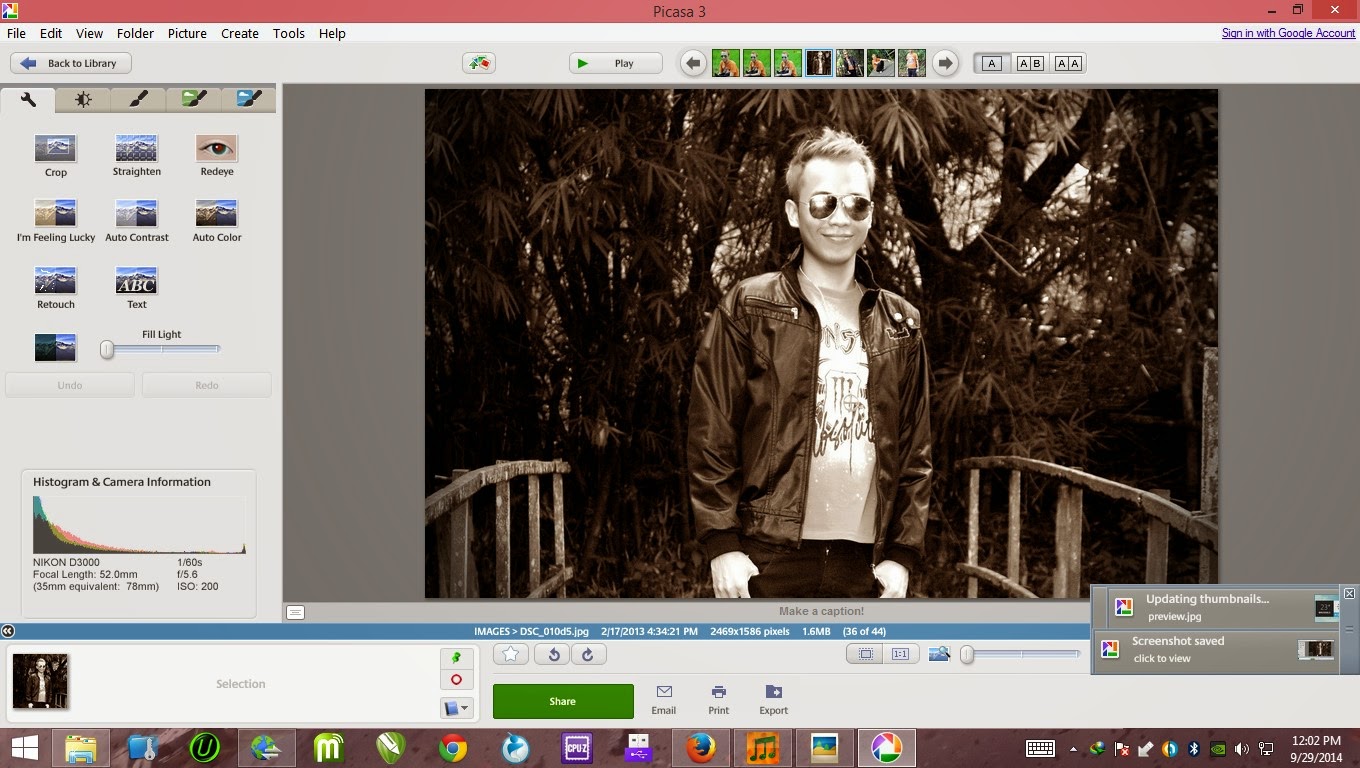
      Picasa 3.9 Build 138.151


      Picasa is software that helps you instantly find, edit and share all the pictures on your PC. Every time you open Picasa, it automatically locates all your pictures (even ones you forgot you had) and sorts them into visual albums organized by date with folder names you will recognize. You can drag and drop to arrange your albums and make labels to create new groups. Picasa makes sure your pictures are always organized.
      Picasa also makes advanced editing simple by putting one-click fixes and powerful effects at your fingertips. And Picasa makes it a snap to share your pictures, you can email, print photos home, make gift CDs, instantly share your images and albums, and even post pictures on your own blog.
      The latest version includes Web Albums (along with other improvements), but requires that you request an account from Google. 
      File size: 16.58MB
      Requirements: Windows XP / Vista / Windows7 / XP64 / Vista64 / Windows7 64 / Windows8 / Windows8 64
      Languages: Multiple languages
      License: Freeware

      http://www.firedrive.com/file/ED1A5B763F39DBE5

      January 09, 2014

      Video Copilot Element 3D 1.6 (Win 32-64 bit)


      Element 3D - a new plug-in for visualization of 3D-objects in After Effects in real time! The development of the company VideoCopilot, specializing in additional tools for creating video effects and tutorials on this subject in the program AfterEffects. Element 3D allows you to work with three-dimensional objects directly in AE. The plugin can import 3D-models in OBJ or C4D-format. Supports environment mapping and motion blur, depth of field, and can also export the path rendering.  

      NEW FEATURES
      - Added world position pass.
      - Added scene relink.
      - Added replace model option.
      - Added a subsampling mode for post effects.
      - Added planar and polygon mapping types.
      - Added render order.
      - Added group nulls.
      - Added generate 3D position null.
      - Added shape order animation mode.
      - Improved automatic relinking.
      - Fix: issue with baked animation in different groups.
      - Fix: crash due to path aspect ratio fix.
      - Fix: occlusion map was rendering below diffuse.
      - Fix: masks with different aspect ratio than layer.
      - Fix: baked animation wasn’t working with 3D object replicator shape.
      - Fix: rendering issues on OSX.
      - Fix: crash when rendering empty scene with missing assets.
      - Fix: licensing popup on Windows when opening old projects.
      Compatibility
      Operating System:
      Windows XP SP3, Vista and 7 (32 bit and 64 bit supported.)
      After Effects Version:
      Element supports Adobe After Effects CS3, CS4, CS5, CS5.5 and CS6
      Supported Graphics Cards:
      A 512 MB Graphics card, and 1GB or more is recommended for large scenes.
      Geforce 8800 or better. Including Quadro 4000 or better and ATI Radeon 3870 or better.
      * NOTE: Be sure to keep your graphics card drivers up to date for best performance.
      Language : English

      http://www.putlocker.com/file/9EF372989BF51B9D

      October 07, 2013

      ZONER PHOTO STUDIO PROFESIONAL 16.0.1.3 FINAL


       Zoner Photo Studio Professional helps you take control of your photos. Zoner Photo Studio is a complete toolbox for managing and processing digital photos. Acquire pictures from your camera, organize your archive, and edit and share your photos – it’s never been easier! Zoner Photo Studio is useful for beginners, advanced users, and experienced photographers, who can select one out of four different variants. Zoner Photo Studio is made for every user of digital cameras, scanners, and mobile devices. It contains everything you need for quality digital photo processing from start to finish: tools for downloading to your computer, for automatic and manual editing and defect correction in pictures, for easy photo management, and for sharing and publishing photos. Zoner Photo Studio also provides effects from fun (e.g. oil painting and posterization) to highly professional (e.g. framing and text-in-image).
      • Do all your photo jobs in one place: downloading, editing, basic and advanced edits, and sharing.
      • Get to work fast thanks to tools like the first run wizard and to the intuitive interface.
      • Get impressive results already just by learning a few easy edits.
      • Save lots of time thanks to automatic photo sorting, batch edits, and direct integration with Zonerama online galleries.
      Bitmap formats: JPEG, GIF, TIFF, PNG, PSD, PSB, PCD, BMP, PCX, TGA, ICO, RLE, MAC, WPG, DIB, BMI, PSP, PSPIMAGE, THM, HDP, WDP, JP2, J2K, JPC, PNM, PPM, PAM, PBM, PGM, WBMP, BMS, JPS, PNS, DCM, KDC, MPO, JXR, HDR
      RAW formats: CRW, CR2, DNG, MRW, NEF, ORF, PEF, ARW, SRF, SR2, MEF, ERF, RAW, RAF, FFF, RWZ, RWL, 3FR, CS1, SRW
      Expand the range of read-supported formats by installing extra WIC codecs (e.g. WebP).
      Video formats: ASF, AVI, M1V, MOV, MP4, MPE, MPEG, MPG, MTS, OGV, QT, WMV
      Install MPlayer (third-party freeware) to add support for these video formats: 3GP, DIVX, DV, DVR-MS, FLV, M2T, M2TS, M2V, M4V, MKV, MPV, MQV, NSV, OGG, OGM, RAM, REC, RM, RMVB, TS, VCD, VFW, VOB
      Highlights:
      • Optimized and faster RAW module
      • Catalog, advanced picture management and archival
      • Multi-exposures help you to do the “impossible”
      • Transparency support
      • Healing Brush and Selection Brush tool
      • Direct upload to Facebook, Flickr, and Picassa Web Albums
      • 64-bit program version
      • A wide array of edits and effects for photo enthusiasts
      • HDR, panoramas, 3D photo maker
      • Convenient, time saving batch operations
      • Support for GPS map data
      • Easy and direct web publishing
      • Templates for calendars, contact lists, and more
      Take control of your digital photos with Zoner Photo Studio. Acquiring photos from your camera, your scanner, and even your screen has never been easier. Have fun organizing and browsing through your digital memories. With Zoner Photo Studio, you’ll be editing and personalizing your photos with special effects and even advanced functions like HDR processing. Wow your family and friends with 3D photos and impressive panoramas! Process RAW files conveniently and easily with an interface designed specially for photo enthusiasts.

      Whether you are sharing pictures with your family and friends or publishing to a web gallery, Zoner Photo Studio has the tools for you. Many options are available to help you organize and store your photos on external drives, DVDs, and other media. You’ll benefit from full support for SSE and MMX processor technologies and powerful multi-core processors. 48-bit color depth ensures you get the highest photo quality, and the color management support is outstanding!
      What’s New in Zoner Photo Studio PRO 16:
      * Quicker, easier work with our Compare Photos function
      * Automatic grouping of RAW and JPG files
      * Improved work with the Catalog—useful new sorting presets
      * Intuitive map work, easy assignment of GPS coordinates to a photo
      * Automatic display of photos’ locations on a map, and of how many are at each location
      * Content-aware resizing: adjustment of a picture’s size and aspect ratio that takes into account its important and unimportant parts * Editing controls are now all together in one place (the Side Panel) and have one look-and-feel
      * Easier to use with touch screens
      * Automatic sharing on Facebook and Zonerama
      * Completely unlimited space for your photos on the Zonerama web galleries

      Download Zoner Photo Studio PRO 16.0.1.3 – Final
      UpLoaded • OR • RapidGator (Size: 53.11 MB)
      Download Zoner Photo Studio PRO 16.0.1.3 – Final • Portable
      UpLoaded • OR • RapidGator • OR • Keep2Share (Size: 60.91 MB)

      September 30, 2013

      Ulead PhotoImpact X3


      Ulead PhotoImpact X3 is sophisticated photo editing software and basic web page design software in one. This product comes with royalty free images, web elements, templates and bonus software. Language is technical and effects are professional—be prepared to refer to the tutorial frequently. With better support, this product could challenge much more highly ranked products.

      Not as user-friendly as more highly ranked products, PhotoImpact is nonetheless fairly easy to navigate once you learn the basics and become with all of the technical language used. You can use a wide variety of importing, organizing, editing, and sharing tools. The helpful welcome screen is accessible along the top menu. Use it as a navigation shortcut when you want to switch tasks. PhotoImpact is organized into eight functional areas broken down into more specific tasks at the start.

      PhotoImpact imports from three sources on the primary "Get Photos" screen: camera drive/card reader, digital camera and image folder stored on your computer. You’ll have to go to the file menu to import from your scanner or from a web page. Ulead PhotoImpact supports the following formats: 001, BMP, CLP, CUR, DCS, DCX, EPS, FAX, FPX, GIF, ICO, IFF, IMG, JP2, JPC, JPG, MAC, MSP, PBM, PCD, PCT, PCX, PEF, PGM, PIC, PNG, PPM,PSD, PSP, PXR,RAS, SCI, SCT, SHG, SVG (output), TGA, TIF, UFO, UFP, WBMP and WMF.

      PhotoImpact has powerful editing tools. You can work in two modes: ExpressFix and Full Edit. ExpressFix offers one click adjustments to exposure, color, focus and skin tone. You can use full edit three ways: enhancements, portrait touch-ups and effects.

      Take the time to go through the SmartGuide to see a variety of techniques you will find useful. Yes, it’s technical and not intuitive, but with perseverance, you can achieve astonishing results. Try making an animation: instant gratification.

      You can make all your subjects look better by learning how to edit to enhance specific features. Whiten teeth, remove under eye bags and add some muscle without the gym. It’s all under Portrait Touch-ups. SmartRemove Scene Compositor lets you clip people and objects from one photo and place in another. Just use the tool to draw around what you want to remove and move to another destination. Capture images or complete web pages: PhotoImpact gives the most flexibility in capturing exactly what you want, regardless of size or position.

      Use the Photo Project Wizard to create greeting cards and labels for CDs and DVDs; print multiple photos and posters and make Web albums and slideshows. You can save your photos in a format compatible with email, mobile phones and PDAs. Saving to these devices, however, is a cumbersome process because in order to do so, you have to specify aspect ratios. PhotoImpact supports many file formats with the exception of PDF. The Web mode is unique to this program. Use the Component Designer to make themed Web pages with buttons, rollovers, navigation, etc.

      The Manage Photos function in Ulead PhotoImpact will not work without Photo Explorer. If looking for a truly seamless process, we suggest considering more highly ranked products that have this functionality built in.

      We highly suggest using the PhotoImpact workspace that includes a SmartGuide on the right-hand side. This function will provide the critical link between what you want to do and the technical task labels on the drop down menus. Here, you will have access to user-friendly language and appealing editing applications as well as the learning center, FAQs page, technical support, training center and the community forum online.


      FREE DOWNLOAD :

      Download this practical application now and take full advantage of your photographs.

      Limitations of the Demo Version:

      - 30 day trial period.

      July 09, 2013

      ADOBE FLASH PROFESSIONAL CC V13.0.0.759 FULL PATCH


      Adobe Flash Professional CC is perfect tool for web designers and multimedia players, which is the new version, Adobe has tried Nvsy programs and coding capabilities and the work environment and at the same time adding a tool designed Atqa’ Try the new design requirements will be met. Other new features include a powerful text engine, backup devices, mobile phones and facilitate increased efficiency and programming tools mentioned. Well coordinated and continuous components that have extensive design work or Mac provides its content through multimedia formats generates the key features of it.

      New Feature on Adobe Flash Professional CC v13 :
      • Improved HTML publishing
      • Simplified user interface
      • Testing and debugging via USB
      • Timeline time-savers
      • Unlimited pasteboard size
      • Powerful code editor
      • Real-time drawing
      • Code profiling in Adobe Scout CC
      • Custom metadata APIs
      • Object-based animation
      • Wide platform and device support
      System requirements
      • Intel Pentium 4, Intel Centrino, Intel Xeon, or Intel Core Duo (or compatible) processor
      • Microsoft Windows 7 (64 bit) or Windows 8 (64 bit)
      • 4GB of RAM
      • 2.5GB of available hard-disk space for installation; additional free space required during installation (cannot install on removable flash storage devices)
      • 1024x768 display (1280x800 recommended)
      • QuickTime 10.x software recommended
      Link Download
      Direct Link

      Adobe Photoshop Touch For Phone 1.1.0 (2013) Android


      Fresh New Release For Photoshop Touch for phone 1.1.0 New 2013 and 2014 Apk Android Free Download Full Update For Photoshop Touch for phone 1.1.0 With Full Version Full Games and Apps Also Photoshop Touch for phone 1.1.0 Free For DownloadThis Apk Android Apps For Photoshop Touch for phone 1.1.0 Support With New Release Version
      Description:
      Bring the fun and creative possibilities of Adobe® Photoshop® software to your phone with Adobe Photoshop Touch for phone.

      We will share information about the Games Android. By following the instructions and guidelines that we provide, youcan have an apk apps application,Download Apk Full Android App the latest app that can make you feel comforted.Of course you have to download to have an android apps Free Full is.

      Transform your images with core Photoshop features. Combine images, apply professional effects, and share results with friends and family through Facebook and Twitter — all from the convenience of your phone. Enjoy most of the same features as the tablet version:


      19.69 Mb
      Download (Zippyshare):

      Mirror (PutLocker):

      Mirror (Billion Uploads):

      • Use popular Photoshop features, such as layers, selection tools, adjustments, and filters, to create mind-blowing images.
      • Improve your photos using classic Photoshop features to bring out the best in your photography. Apply precise tone and color adjustments to your entire composition, a particular layer, or a select area.

      June 27, 2013

      Art Rage Pro


      Ever wanted to try oil painting but not had the equipment and been worried about the mess? Or perhaps you're an artist with a computer but no desire to learn complex new tools in a digital environment or a digital artist wanting a touch of real media?
      ArtRage Studio Pro is a Mac programme that allows you to paint on canvas. It comes along with a stylish, intuitive painting and drawing package for producing artwork on your computer. It offers you all the tools you need like oils, watercolours and inking pens. In addition, it has layers for speeding up some operations.
      System : MAC OS X
      Size      : 43 MB
      DOWNLOAD : 

      June 20, 2013

      Photoshop CC

      So much is new in Photoshop CC. Use all-new Smart Sharpen to make details stand out. Turn low-res shots into big, high-res images. Get all the advanced 3D editing and image analysis tools that were previously available only in Adobe® Photoshop Extended. And more.
      More freedom, speed, and power to make incredible images real. You’ll get dozens of new and reinvented features, including the most advanced sharpening tool available. Share work right from Photoshop® CC to Behance® to get feedback and showcase your own projects. Get access to new features the moment they’re released. Your entire creative world, together in one place. Only in Creative Cloud™.

      Camera Shake Reduction

      Quickly restore sharpness to images blurred by camera motion, whether the blur was caused by a slow shutter speed or long focal length. With Camera Shake Reduction, you can make your shots steady — even if your hands aren’t.


      With Photoshop CC — part of Creative Cloud — your creative process becomes seamless, intuitive, and more connected. Get it as a single-app membership or with a Creative Cloud complete membership, which also includes every other creative tool.

      Adobe Photoshop CC - My Top 5 Favorite Features :
      DOWNLOAD :

      May 04, 2013

      Fresh Paint


      Meet Fresh Paint – a delightfully realistic and fun painting application for you and your family.
      Fresh Paint is an easy-to-use, free app that includes oil paint and all the tools you need to paint. Whether you are an aspiring artist, parent or child (or child at heart), Fresh Paint will help you unleash your inner creativity. We believe that brilliant, creative ideas can come from anyone, anytime. It’s time to set your creativity free.
      Welcome to Fresh Paint – the canvas for your big ideas.

      Features

      • Experience highly realistic oil paint. It works just like real oil on a canvas, but just a little easier.
      • Paint without the mess, clean-up and costly supplies.
      • Help your kids be creative and explore their imagination.
      • Blend and mix paints to get just the colour you want.
      • Turn your photos into paintings with Fresh Paint. Import a photo, and then just brush and blend the colours to transform your picture into a beautiful oil painting.
      • Purchase painting templates to help you improve your skill, or purchase colouring pages to help your kids explore their imagination.
      • Choose from different brushes and change your brush size.
      • Erase paint with the eraser and correct any mistakes with the Undo button.
      • Click the Fan button to instantly dry all the paint on your canvas.
      • Paint in the way that is most natural for you. Get hands-on and finger paint, use a stylus or even a mouse or purchase a capacitive paint brush and paint.
      • Easily share your paintings with people you care about. Just swipe from the right edge of the screen and tap “Share.”
      • More than just a digital painting program; Fresh Paint helps you bring your imagination to life.
      • Now available – Disney•Pixar Finding Nemo Pack!

      Release notes

      Added additional paint tools for Windows RT devices

      System requirements

      March 09, 2013

      Adobe Master Collection CS5.5 LS4


      Download Adobe Master Collection CS5.5 LS4 | 9.5 GB

      Information
      Adobe® Creative Suite® 5.5 software keeps you ahead of the rapid proliferation of mobile devices. Develop rich interactive apps for Android™, BlackBerry®, and iOS. Design engaging browser content in HTML5, and create immersive digital magazines. Mobilize your creative vision with the suite edition that’s right for you.

      What’s New In Adobe Creative Suite 5.5?:
      Create content for new devices and move designs across media. Develop with HTML5, boost your video-editing efficiency, and deliver new reading experiences with Adobe® Creative Suite® 5.5 Master Collection software, which includes Adobe Audition® CS5.5 and Adobe Flash® Builder™ 4.5 Premium Edition.

      Enhanced Multiscreen Preview panel
      View website designs as they would appear across desktops, smartphones, tablets, and televisions within the enhanced panel in Adobe Dreamweaver CS5.5 that now better handles custom media queries and multiple CSS files.

      Robust jQuery support
      Build rich content for a variety of devices with support for the jQuery Mobile framework in Dreamweaver CS5.5. Take advantage of mobile templates, contextual code hinting, and the ability to quickly insert objects into a design.

      Support for more mobile platforms and devices
      Create content in Adobe Flash Professional CS5.5 optimized for delivery across more devices thanks to support for Flash Player 10.2 and Adobe AIR 2.6; and new platforms including Android™, RIM, iOS, webOS, and Adobe Digital Home.

      A more efficient video workflow
      Trim and edit with more efficiency and precision in Adobe Premiere Pro CS5.5 Use widely accepted NLE shortcuts and easily sync separately recorded field audio with your video, thanks to new dual-system sound support.

      Action Wizard in Acrobat Pro
      Automate routine, multistep PDF tasks more easily in Adobe Acrobat® X Pro. The Action Wizard guides you through creating an Action, which is an automated sequence of steps that can be applied to a single PDF or batches of files.

      Advanced audio-for-video editing
      Record, edit, mix, master, and sweeten audio with Adobe Audition CS5.5 — now available for Mac OS and Windows®. Roundtrip edit with Adobe Premiere Pro CS5.5, or use OMF and XML to speed up project exchange with ProTools and other NLEs.

      Folio Producer tools in InDesign
      Create engaging digital magazines, newspapers, and retail catalogs that incorporate eye-catching elements such as 360° object rotation and image panoramas for a wide variety of tablet devices. Upload to Adobe Digital Publishing Suite5 for further production and distribution.

      Mercury Playback Engine
      Work faster thanks to enhancements in the Adobe Mercury Playback Engine in Adobe Premiere Pro CS5.5 Edit using newly certified laptop GPUs, get real-time playback of mixed-format timelines, and use more GPU-accelerated filters and effects.